Why can't I see someone's Instagram story or download it?
Contents
Most of the time, the story is gone or was never shared with you: it is more than 24 hours old, the owner deleted it, the account is private, it went to Close Friends only, or the owner hid their stories from you. If none of those fit, the cause is on your side: a muted story, a wrong or half-copied link, a typo in the username, or a problem with the app or your connection.
Instagram does not tell you which one it is. The checks below sort it out in a few minutes. The last part explains why a story will not download on storydownload, and what to do about it.
Key takeaways
- Stories normally disappear after 24 hours, unless the owner adds them to a highlight. Instagram Plus subscribers can keep one up for 24 more. An expired story that is not in a highlight is gone for everyone but its owner.
- A private account, a Close Friends story, a hidden story and a block all keep a story from you on purpose. Nothing on your side changes that.
- If a story opens from someone's profile but never shows in the bar at the top of your feed, you probably muted it.
- A story sent to you in a chat follows the original account's settings, and it leaves the chat when the story expires.
- On storydownload, an empty result means the account is private or has no stories up right now. The site cannot tell which.
- A post or reel link is not a story link. Highlights need a highlight link and the highlights downloader.
Quick check: which reason is it?
Start with what you can see, then read the section that fits.
| What you see | Most likely reason | What to do |
|---|---|---|
| The ring was there yesterday and is gone today | It expired after 24 hours | Look in the highlights |
| This story is unavailable after tapping a link or a chat | Expired, deleted, or from a private account | Ask the person who sent it |
| The profile says the account is private | You do not follow it | Send a follow request |
| Friends saw a story you never saw, but other stories reach you | A Close Friends story | Nothing. Only the owner can add you. |
| You see the profile and posts, but never a story, while others do | The owner hid their story from you | Nothing on your side |
| You cannot find the profile, but a friend can | You may be blocked | Leave it. It was their choice. |
| Nobody can find the profile | Deactivated, deleted or renamed | Check the username |
| The story opens from the profile but not from the bar at the top | You muted it | Unmute it from their profile |
| No stories load for anyone, or the screen stays black | The app or your connection | Follow the fix steps below |
| storydownload shows no stories | Private, or no stories up right now | Check the profile, try again later |
The story expired or was deleted
Start here, because this is the usual answer. Instagram's Help Center says photos and videos in a story disappear from feed, the profile and messages after 24 hours, unless the owner adds them to a highlight. You can read it on How long Instagram stories remain visible.
There is one newer exception. Instagram Plus, a paid monthly subscription that Instagram is rolling out market by market, includes Story Extend, which Instagram describes as giving a story an additional 24 hours before it disappears. So a story is normally up for 24 hours, and a subscriber can keep one up for 24 more.
After that, the story sits in the owner's Stories Archive, and Instagram says archived stories can't be seen on Instagram unless the owner chooses to share them. So an expired story does not come back for viewers, and no downloader can fetch it. The owner can also delete a story or archive it early, so a ring can vanish well before the 24 hours are up.
What you can do:
- Look in the highlights. The round covers under the bio are highlights, and a story added there stays until the owner removes it. Save one with its link in the highlights downloader. Do Instagram highlights expire? explains how long they last.
- Ask the person. If they keep a Stories Archive, they still have it and can send it to you.
- Save the next one in time. How to download Instagram stories walks through it on iPhone, Android and PC.
When a story sent in a chat says it is unavailable
A chat is a common place to meet the message This story is unavailable. Instagram's page on sharing a story to a chat gives two rules:
- A story shared in a chat keeps the original account's visibility. If the account is private, only its followers can open it from the chat.
- When the original story disappears, it is no longer available in the chat.
So if a friend sent you a story from a private account you do not follow, or sent it more than a day ago, the chat shows the message and nothing else.
The account is private
A private account only lets in the followers its owner approves, as Instagram's comparison of public and private accounts sets out. The same page says accounts of people under 18 are private by default, so this catches many people out.
The profile shows that the account is private, with a Follow button and no posts. Send a follow request and wait for the owner to accept it. An account can also switch from public to private at any time, so stories you saw yesterday can be out of reach today.
The story was for Close Friends only
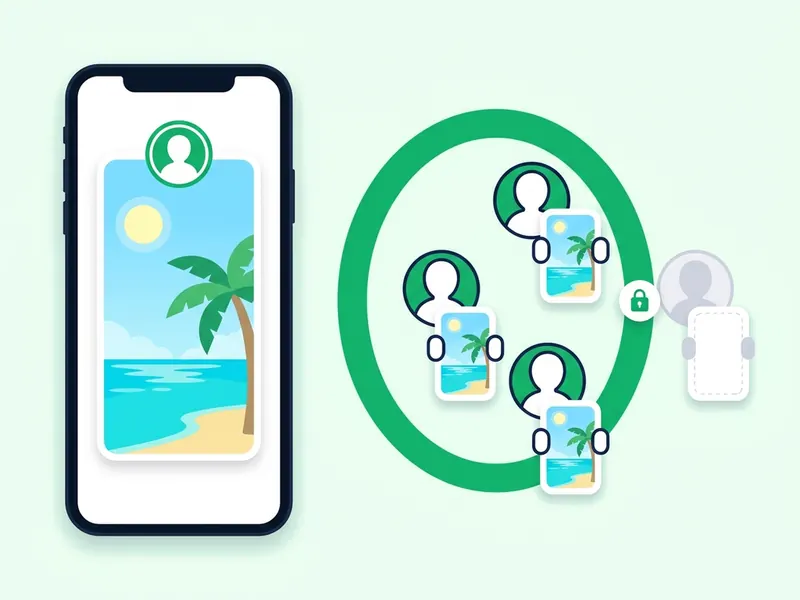
An owner can share a story with their Close Friends list instead of all their followers. If you are not on the list, that story never shows for you, while people on the list see it. Their other stories still reach you, which is how you tell this case apart.
Instagram's page on creating a Close Friends list says the owner picks the people, nobody is notified when they are added or removed, and no one can request to be added. There is no button to press and no outside tool that puts you on the list. Instagram Plus subscribers can also share stories with custom audience lists of their own, and those work the same way: if you are not on the list, the story does not reach you.
The owner hid their story from you
Instagram lets anyone hide their story from someone. From then on, that person sees nothing the owner adds to their story. In Instagram's own words, this is different from blocking, and it does not stop the person from seeing the profile and posts.
That is the sign to look for: you can find the profile, you still follow it and you see the posts, but there is never a ring, while friends see stories. No setting on your side undoes it. If it matters, the honest route is to ask the person.
You were blocked, and what restricting does not do
When someone blocks you, Instagram says you won't be able to find their profile, posts or story, and you are not told. The signs: search does not find the account and its profile will not open for you, while a friend can still find it.
Restricting is a different tool. Instagram's Restrict page lists what a restricted person loses: seeing when the owner is online, read receipts, and public comments, since their new comments show only to them. Stories are not on that list. If you see the profile and posts but never a story, a hidden story is the likelier explanation.
Either way, take it as the owner's choice. Do not try to get around it with another account or a tool.
You muted their story
This one is on your side. It explains why someone's story opens from their profile but never appears in the bar at the top of your feed.
Instagram's mute and unmute page says that when you mute someone's story, you won't see it at the top of your feed, though you still see their posts. A long press on their picture is enough to do it by mistake. To unmute:
- Go to their profile by tapping their username or searching for it.
- Tap their profile picture to open their story.
- Tap Options in the top right.
- Tap Unmute story.
The bar is also ranked. Instagram's page on viewing someone's story points to the Meta Transparency Center for how stories are picked and ordered, so a story you never muted can still sit far to the right.
The account has no story up, or is gone
Sometimes there is nothing to see. If the account has not posted a story in the last 24 hours, there is no ring and nothing to watch or save until it posts again.
If nobody can find the account, it may have been deactivated, deleted or renamed. Instagram says a deleted profile is removed for good with its photos, videos and followers, and a deactivated one stays hidden until its owner logs back in. A renamed account answers to its new username only, so the old one can lead nowhere, or to someone else.
Instagram can also remove a story that breaks its rules. You see the same unavailable message, and nothing brings it back.
Age and region limits
Two rarer limits come from Instagram's and Meta's own pages:
- Age. Some accounts, with alcohol brands as Instagram's example, restrict their content to people over a certain age, and Instagram notes you may need the latest version of the app to see them. An account that is not available to people under 18 can also keep its profile, stories, posts and reels from teen accounts.
- Region. Meta's Transparency Center explains that content reported as unlawful in one country, but within its rules, may be restricted in that country. It stays visible elsewhere, and you cannot change that from your phone.
Fix app and connection problems
If no stories load for anyone, or they keep spinning or show a black screen, the problem is the app or the network, not the account. Work down this list and test after each step:
- Pull down on your feed to refresh it.
- Close Instagram fully and open it again.
- Switch between Wi-Fi and mobile data. Turn off a VPN, Low Data Mode or a data saver for a moment.
- Update Instagram from the App Store or Google Play.
- Restart your phone.
- On Android, clear the app's cache in Settings, under Apps, Instagram, Storage. On an iPhone, offload or reinstall the app. Your account is not affected.
- Open instagram.com in a browser. If stories load there, the app on your phone is the problem. If they fail for your friends too, Instagram is probably having an outage, and waiting is the fix.
Why a story won't download on storydownload
The storydownload home page saves stories from public accounts, by username or by story link, with no login. When a story does not come up, the message on the page tells you why.
| What you see | What it means | What to do |
|---|---|---|
| This account is private or has no stories right now | One of the two. The site cannot tell which. | Check the profile on Instagram |
| This content is not available. It may be deleted, expired or private. | The story behind the link is gone or private | Type the username to see what is up now |
| That doesn't look like an Instagram link | Only part of the link was copied, or it is not an Instagram link | Copy the link again, or type the username |
| A message asking you to wait | Many lookups within one minute | Wait up to a minute, then try again |
| Still working. Some links take up to a minute. | The lookup is slow, not failed | Give it a moment |
| This page has expired | Results last only a few minutes | Paste the link again |
| We couldn't load that. Please try again. | The lookup did not go through this time | Try again |
The empty result is the one to understand. A private account and an account with no story up look the same from outside, so the site shows one message for both. Open the profile on Instagram: if it says private, its stories stay with its followers. If it is public with no ring, there is nothing to save until it posts again.
Three input mistakes cause most of the rest:
- A post or reel link. It points to that post, not to a story. Copy the link from the story itself, or type the username.
- A highlight link. Highlights have their own page, the highlights downloader. If you paste one into the story viewer, it points you there. The highlights page needs a highlight link, not a username or a profile link, because an account can have many highlights. How to download an entire Instagram highlight shows the steps.
- A typo in the username. One wrong letter points to a different account, or to none. Copy the username from the profile. The @ is optional.
Downloaded it but cannot find it? On an iPhone, choose Save Image or Save Video in the share sheet and it goes to Photos. On Android and on a computer, look in your Downloads folder.
To check what an account has up before you save, type the username into the anonymous story viewer. To know what the owner sees on their side, read Can people see if you view their Instagram story? and Does Instagram notify when you screenshot a story?
FAQ
What does This story is unavailable mean on Instagram?
The story cannot be shown to you. Usually it expired after 24 hours or the owner deleted it. It also appears when someone sends you a story from a private account you do not follow. If the profile has no ring and no highlight with the story in it, it is gone.
How do I know if someone hid their story from me?
Instagram does not show you who hid their story from you. The usual sign is that you can find their profile, you follow them and you see their posts, but you never see a story ring while friends do. Only the owner can undo it.
Why can I see someone's story on their profile but not at the top of my feed?
You probably muted their story. Go to their profile, tap their picture to open the story, tap Options and choose Unmute story. The bar at the top is also ranked, so a story can sit far along it.
Can I see someone's story if they restricted me?
Instagram's Restrict page does not list stories among the things a restricted person loses. It covers comments, read receipts and seeing when someone is online. If no story ever shows for you while friends see them, the owner more likely hid their story from you.
Why does the story ring show but the story won't open?
The story was probably deleted or expired after your app loaded the ring, or the app is showing an old copy of the bar. Pull down on your feed to refresh it. If it still fails, check your connection and update the app.
Why does storydownload say the account is private or has no stories?
Because it is one of the two, and the site cannot tell which. Check the profile on Instagram. If it is public and has a story ring, try the username again a little later.
Can I download a story after it disappears?
Only if the owner added it to a highlight. Copy the highlight link and use the highlights downloader. An expired story that is not in a highlight is gone, and no tool can bring it back.